


Therapeutic Devices Buying Guide
A purchasing walkthrough for rehabilitation departments specifying electrotherapy, therapeutic ultrasound, TENS, laser and diathermy equipment, covering configuration, compatibility and lead time.
Home › Buyer Guides › Therapeutic Devices Buying Guide
Take This Guide With You
The full Therapeutic Devices buying guide as a printable PDF, with the comparison points and the pre-order checklist. Share it with facilities, purchasing or whoever signs off.
Therapeutic Devices in Stock Now
A live view of what is available in Therapeutic Devices right now. Prices and availability come straight from the catalog.
-
 Quick ViewSelect options
10 cm2 Ultrasound Applicator
Item# 48372DJO$428.24Original price was: $428.24.$342.59Current price is: $342.59. -
 Quick ViewSelect options
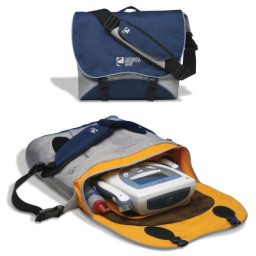
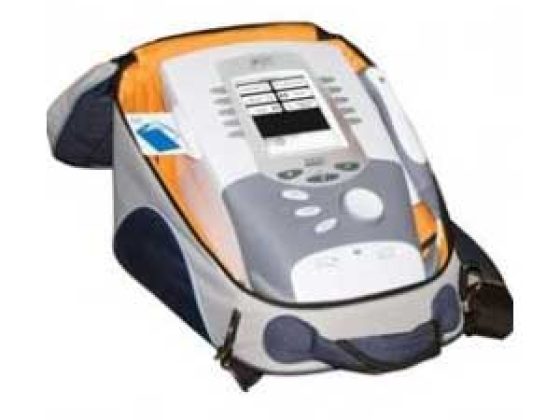
Therapy System Transportable Carry Bag
Item# 76472CHT$216.96Original price was: $216.96.$170.84Current price is: $170.84. -
 Quick ViewSelect options
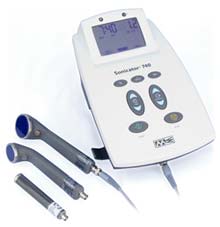
Therapeutic Ultrasound w/ 3 Applicators
Item# X047MET$2,600.29Original price was: $2,600.29.$2,177.89Current price is: $2,177.89. -
 Quick ViewSelect options
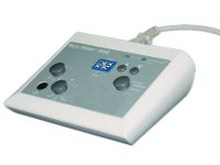
SysStim 208 Neuromuscular Stimulator
Item# 802EMMET$1,177.39Original price was: $1,177.39.$872.14Current price is: $872.14.


How to Choose Therapeutic Devices for a Rehabilitation Department
Buying a therapeutic device is a procurement decision layered on top of a clinical one, and the two have to stay in that order. Your clinicians decide which modality the department needs and how it is used. Purchasing then decides configuration, channel count, portability, consumable compatibility, service and lead time. This guide covers the second half of that split, so the equipment you buy matches the caseload your clinicians already defined. For the units and accessories themselves, see the therapeutic devices category.

Who Is Buying Therapeutic Devices, and What Shapes Each Buyer's Shortlist?
Four buyer profiles cover most orders in this line, and each one weights the same specifications differently.
Outpatient physical therapy and occupational therapy clinics.: A small number of treatment bays, a single purchaser, and pressure to keep every bay productive. Uptime and consumable supply matter more than breadth of configuration. Hospital rehabilitation departments.: A capital request reviewed by biomedical engineering and infection prevention before purchasing sees it. Service documentation, cleaning compatibility and parts availability carry real weight in that review. Athletic training rooms and sports medicine practices.: Equipment that moves between a training room, a sideline and a travel bag, so portability and cable durability lead the specification. Multi site groups.: Buying for several clinics at once, where standardizing on one unit family keeps the accessory list short and lets staff move between sites without relearning a chassis.
Decide which you are before you compare models, because it determines whether you optimize for uptime, for review approval, for portability or for consistency across the wider rehabilitation equipment program.
Who Decides Which Modality the Department Buys?
The treating clinician does. Selecting a modality, choosing its settings and deciding whether a device suits a particular patient are clinical decisions made inside a plan of care, and nothing on this page is clinical guidance. MSEC supplies equipment, accessories and consumables. We do not advise on treatment parameters.
That boundary is not a formality, it is the correct sequence for a purchase. If purchasing picks a modality first and then asks the clinical team to work with it, the department ends up with a unit that does not match the plans of care being written, and it sits unused. The productive order is the reverse. Ask your clinical lead which modalities the department will use and how often, and get that in writing as the requirement.
Everything after that point belongs to purchasing, and it is a substantial list: how many units, which configuration, how many channels, what mounts on a cart, which applicators and electrodes are needed, how the units are cleaned, what is stocked as a spare and what the lead time is on each. This guide is about that list.
Should You Buy Single Modality Units or a Combination Unit?
Buy a combination unit when your clinical requirement names more than one modality and your bay count is tight. Buy single modality units when the department needs two of the same thing at once, or when the modalities live in different rooms.
A combination chassis such as the Sonicator Plus 930 Combination Therapy Unit or the Sonicator Plus 992 Combination Ultrasound Therapy carries ultrasound and stimulation capability in one housing, so one cart covers more of the schedule and there is one unit to clean, move and service. The trade is concentration of risk. When that chassis goes out for service, both capabilities leave the floor with it.
Separate units such as the Sonicator 740 Therapeutic Ultrasound alongside a dedicated stimulator like the SysStim 208 Neuromuscular Stimulator spread that risk and let two clinicians work in parallel. They also cost more floor space and more cleaning time. Run the arithmetic on your own schedule: if two modalities are regularly needed in the same hour, a combination unit does not solve the bottleneck, it just relocates it.
How Many Channels and Applicator Ports Does the Schedule Justify?
Match channel count to how many treatment setups run concurrently on one unit, not to the largest number on the specification sheet. Channels are the reason two otherwise similar stimulators are not interchangeable, and they are also where departments overbuy.
Count the setups a single unit has to support in your busiest hour. If your clinicians typically run one setup per unit and the department has enough units, extra channels sit idle. If one unit is expected to cover back to back work in the same bay, channel count is what keeps the schedule moving. The same question applies to ultrasound: a unit supplied with more than one applicator, such as a Therapeutic Ultrasound w/ 3 Applicators configuration, changes how quickly staff move between treatment sites without swapping hardware.
Whatever count you land on, check what each channel or port requires in consumables. More channels mean more electrodes, more lead wires and more cable sets in circulation, and that recurring spend belongs in the comparison alongside the purchase price.
Portable, Cart Mounted or Fixed: Which Configuration Fits the Floor Plan?
Let the floor plan and the travel pattern decide, since configuration is much harder to change after delivery than any accessory. There are three practical answers.
Portable tabletop units.: Suited to clinics where the unit stays on a treatment bay shelf, and to departments that carry equipment to a second site or a home visit. Protective carry items such as the Therapy System Transportable Carry Bag and the Travel Bag for Sonicator 740 Unit exist for exactly this pattern. Cart mounted units.: Suited to larger equipment that moves between bays rather than between buildings. Shortwave diathermy is the clearest example, which is why a configuration such as the AutoTherm 391 Shortwave Diathermy w/ Cart is listed separately from the AutoTherm 395 Shortwave Diathermy. Fixed placement.: Suited to a dedicated bay where the unit never moves, which simplifies cable management and cleaning.
Whichever you choose, confirm the outlet position for the bay, the clearance around the unit, and whether a cart is included or ordered separately. A unit bought without the cart it needs is a unit parked on a countertop that was already full.
How Do You Confirm Applicator, Electrode and Cable Compatibility Before You Order?
Confirm it from the unit plate, not from the model name, because compatibility is the single largest source of returns in this category. An applicator is tied to a specific host unit and a specific frequency, so a 3.3MHz Sonicator Pencil Style Ultrasound Applicator and a 1MHz Sonicator Ultrasound Applicator are not alternatives to each other.
Work through four checks before any accessory order. Record the model and serial number from the plate on the unit. Note the frequency or size the department needs, exactly as the listing states it, such as the 1.0 and 3.2MHz Sonicator 740 Ultrasound Applicator or the 10 cm2 Ultrasound Applicator. Check the connector type physically rather than assuming it carried over between generations. Then confirm the consumables that attach downstream, including items like Sponge Electrodes 2in x 2in and the Bifurcation Cable Set.
If the unit predates the current catalog listing, send us the plate details and we will confirm what the manufacturer specifies for that serial range instead of guessing from a model name. Ask about availability and lead time in the same message, since applicators are not always shelf stock.
How Do You Compare Two Units That Look Similar on Paper?
Put both on the same seven lines and compare like for like. Specification sheets are written to flatter, so a fixed comparison grid is worth more than a feature list.
Modalities carried: , matched against the requirement your clinical team wrote. Channel and port count: , against your concurrency, not against the maximum available. Accessories included against ordered separately: , including carts, applicators and cable sets. Consumable list and cost of a year of it: , since electrodes, pads and leads are the recurring spend. Cleaning compatibility: , confirming which disinfectants the manufacturer allows on housings, applicator faces, straps and cables. Serviceability: , which parts are available separately and what the manufacturer warranty terms cover. Availability and lead time: on the unit and on its spares, which are often different.
If two units are still level after that grid, choose the one whose consumables you can get quickly, because that is what keeps a bay working in year three.
Which Purchasing Mistakes Take a Modality Offline?
Six mistakes account for most of the downtime we hear about, and none of them are about the unit itself.
Ordering an applicator from the model name.: Without the plate details and the connector check, the head arrives and does not fit. Buying the unit and no spares.: One damaged cable can take a modality out of the schedule for a lead time nobody planned for. Leaving consumables out of the budget.: Electrodes, pads and leads are wear parts, not a one time accessory. Standardizing a disinfectant before checking it.: A cleaner approved facility wide may not be suitable for every housing, face, strap and cable. Skipping the freight conversation.: Cart mounted equipment is bulkier than buyers expect, so confirm access and who moves the crate before it ships. Letting purchasing choose the modality.: That decision belongs to the treating clinician, and reversing the order is how a unit ends up unused.
What Belongs on the Pre-Order Checklist, and What Should You Have Ready When You Call?
Confirm these before the purchase order, and have the same list in front of you when you call.
, naming the modalities the department will use.
, model and serial number, for anything you are adding to or replacing.
, the number of setups running in your busiest hour.
, plus whether a cart is needed.
, including applicators, electrodes, lead wires and cable sets, with a spare for the item you use most.
, to check against every surface the manufacturer names.
, dock or liftgate, door widths and who receives the crate.
on the unit and on its spares.
Tell us if you are standardizing across sites, if the unit is replacing something specific, or if the item you need is not listed, since our catalog shows a portion of what we can supply. You can work from the therapeutic device and accessory listings while you gather the details. Call 877-706-4480 toll free or 713-706-4480 local, or email inquiry@msecompany.net.
Frequently Asked Questions
Who inside our organization should approve a therapeutic device purchase?
Expect three reviewers in a hospital or larger group. The clinical lead confirms the modality requirement, biomedical engineering reviews service, parts and documentation, and infection prevention reviews cleaning compatibility. In a private clinic the same three questions still have to be answered, they just land on one or two people. Collecting those answers before the request goes to purchasing is what keeps it moving.
Should we buy a spare applicator at the same time as the unit?
For the frequency or size your department uses most, yes. Applicators are not always shelf stock, so a damaged cable or connector can take a modality out of the schedule for the full lead time. Buying the spare with the unit also guarantees it matches that host unit and connector. Ask what the lead time looks like on each applicator before you decide which one to hold.
How do we keep an older unit in service when the catalog listing has changed?
Send us the model and serial number from the plate on the unit, along with any part numbers printed on the accessory you are replacing, and we will confirm what the manufacturer specifies for that serial range rather than matching on the model name alone. Older units frequently changed connector or applicator details between generations, which is why the plate matters more than the listing.
How should we compare a combination unit against two separate units on cost?
Ask for both quoted, then add the lines a quote leaves out. Count carts and mounting, the applicators and electrodes each option needs, a year of consumables, and what happens to your schedule when one chassis is out for service. Two separate units keep a second modality working during that window. A combination unit uses one bay and one cleaning routine. Compare on those totals, not on the headline figure.
What should we record from the unit plate before ordering parts?
Record the manufacturer, the model, the serial number and any part numbers printed on the accessory itself, and photograph the connector. Keep that with the equipment log so reordering is a two minute task rather than a search. Departments that keep a short part number list beside each unit almost never order the wrong applicator, electrode or cable set.
What documentation should we ask for when a unit is delivered?
Ask for the manufacturer operating instructions, the cleaning and disinfection guidance that names which agents are allowed on which surfaces, the parts and accessory list, and the warranty terms. Biomedical engineering will usually want the service documentation as well. Confirm at the point of order that these come with the unit, because chasing them afterward delays the bay going into service.
Ready to Shop Therapeutic Devices?
Browse the Therapeutic Devices line, or go up to all rehabilitation equipment. Toll free 877-706-4480 | Local 713-706-4480 | inquiry@msecompany.net
Take This Guide With You
The full Therapeutic Devices buying guide as a printable PDF, with the comparison points and the pre-order checklist. Share it with facilities, purchasing or whoever signs off.