

Laptop & Computer Stands
6 laptop and computer stands: rolling platforms that take the computer to the care.
Home » Hospital & Durable Medical Equipment » Computer Carts & Desks » Laptop & Computer Stands
The Computer On Casters
Mobile charting runs on rolling stands: laptop and computer platforms that move station to station, adjusting to the user at each stop. The six builds split into laptop and computer lines below, with height ranges and platform sizes per model.
Shop The Laptop & Computer Stands Range by Type
Each line opens its models with specifications per product.
Shop Laptop & Computer Stands
Everything MSEC carries in Laptop & Computer Stands, shown in full. Specifications are supplied by the manufacturer. For current pricing, lead time or a quote on a purchase order, call toll free 877-706-4480.
-
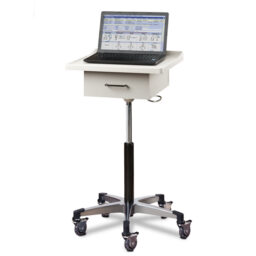
Quick ViewSelect optionsMobile Workstation Laptop Cart w/Drawer
Item# 0189CLT$752.79Original price was: $752.79.$646.25Current price is: $646.25. -
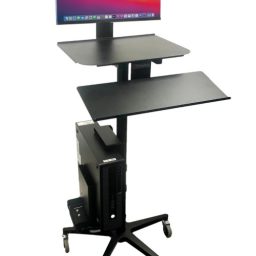
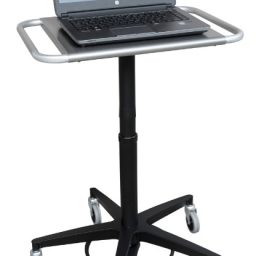
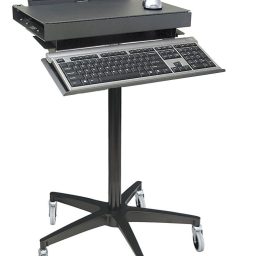
Quick ViewSelect optionsErgonomic Rolling Computer Stand w/ Cord Wrap or Reel
Item# XX17053OMI $678.57 – $1,007.57Price range: $678.57 through $1,007.57 -
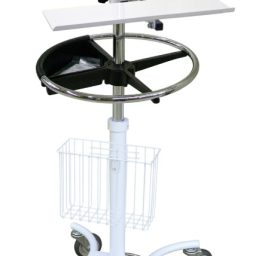
Quick ViewSelect options -
Quick ViewSelect optionsRolling Computer Cart w/ Cord Wrap or Reel
Item# X17053OMI $1,293.29 – $1,638.29Price range: $1,293.29 through $1,638.29 -
Quick ViewSelect options -
Quick ViewSelect options
What Is a Laptop Computer Stand?
A laptop computer stand is a lightweight mobile stand that holds a laptop at a usable height on a rolling base. It typically consists of a platform for the laptop, an adjustable mast and a compact base with casters. Laptop stands are the simplest way to bring a computer to the point of care when a full workstation would be more than the task requires. Therapy departments, outpatient clinics, consult rooms, telehealth setups and long term care facilities use them for intermittent documentation, patient education and video visits. Each product listing gives specifications per model, including platform size, height range, base design and weight capacity. Choosing the right laptop stand depends on the laptop it will carry, how it will be used and the spaces it must fit.
How Do Laptop Stands Differ From Full Workstations?
Full computer workstations carry a computer, monitors, scanners, printers, storage and often battery systems, and they are designed for heavy use such as medication administration. Laptop stands carry a laptop and perhaps a small accessory, without the bulk, weight or cost of a full workstation. That makes them easier to move, quicker to position and less intrusive in small rooms. The tradeoff is capacity, since a laptop stand cannot support the full set of devices a medication pass requires. Laptop stands work best for tasks that need a computer at the point of care but not a complete workstation, such as therapy documentation, patient education, consults and telehealth.
What Should You Check About the Platform?
The platform must fit the laptop securely. Platform dimensions should accommodate the laptop’s footprint, and some platforms include adjustable side clamps, straps or lips to hold the laptop in place during movement. The platform’s weight rating should exceed the laptop’s weight. Tilt adjustment lets users angle the laptop for comfortable typing or viewing. Some platforms include a mouse pad extension or space for a small scanner. Listings give platform dimensions, weight ratings and securing features.
What Height Range Is Needed?
Laptop stands adjust in height so users can work standing or seated and so the laptop can be positioned for patients sitting in chairs or lying in bed. A wide height range accommodates more uses and more users. The adjustment mechanism should be easy to operate and hold firmly. Pneumatic adjustment allows quick changes, while knob or lever mechanisms are simple and durable. Listings give minimum and maximum heights and adjustment types.
Why Does Base Design Matter?
The base determines stability and how close the stand can get to beds and chairs. A low profile base can slide under beds, recliners and tables so the laptop can be positioned over the patient for education or video visits. A wider base provides more stability, which matters when the mast is extended. Casters should roll smoothly and lock securely. Listings give base dimensions and caster specifications.
How Are Laptop Stands Used in Telehealth?
Telehealth visits often require bringing a laptop with a camera to a patient’s bedside or into an exam room so the patient can see and speak with a remote clinician. Laptop stands make this easy, positioning the screen at eye level for a seated or reclining patient. A tilting platform helps aim the camera. Because the stand is lightweight, staff can move it between rooms quickly. Some facilities dedicate stands to telehealth so they are always ready.
How Are Laptop Stands Used in Therapy?
Physical, occupational and speech therapists document treatment sessions and may use software or videos with patients. A laptop stand lets them keep the computer nearby in therapy gyms and patient rooms without carrying it or setting it on unstable surfaces. The stand can be moved as the therapist works with patients in different areas.
How Do Laptop Stands Support Patient Education?
Educating patients about their conditions, medications and discharge instructions often involves showing videos or images. A laptop stand positions the screen so the patient can see it comfortably from bed or a chair, making education more effective and engaging.
Can Laptops Be Secured on the Stand?
Laptops are valuable and can be stolen if left unattended. Some stands include locking mechanisms or cable lock attachment points that secure the laptop to the platform. Facilities should consider security needs, especially for stands used in public areas.
How Are Laptop Stands Cleaned?
Stands move between patients, so they should be cleaned with approved disinfectants regularly, including the platform, mast and handles. Laptops should be cleaned according to the manufacturer’s guidance and facility policy. Smooth surfaces make cleaning easier.
How Are Laptop Stands Maintained?
Maintenance includes checking casters, testing height adjustment, inspecting platform securing features and tightening loose hardware. Worn casters should be replaced. Standardizing models simplifies parts.
Where Are Laptop Stands Used?
Laptop stands are used in therapy departments, outpatient clinics, telehealth programs, long term care facilities, patient education settings and consult rooms. They suit any setting where a laptop needs to be positioned at the point of care without a full workstation.
How Do Facilities Order Laptop Stands?
Orders start with the laptop models in use and the tasks the stand will support. Facilities choose stands with suitable platforms, height ranges and bases and order by department. MSEC quotes individual and facility orders, accepts purchase orders from hospitals, clinics, long term care facilities and government buyers, and offers GSA contract pricing for federal and VA facilities. The order desk at 877-706-4480 can help match stands to laptops before anything ships.
How Do Laptop Stands Fit Into a Technology Plan?
Facilities planning their point of care technology often use a mix of devices: full workstations for medication passes, wall mounted stations at room entrances, tablets for quick tasks and laptop stands for intermittent documentation and telehealth. Each device type serves different workflows. Laptop stands fill the gap between handheld devices and full workstations, offering a full keyboard and larger screen without the bulk of a workstation. When planning, IT and clinical leaders can map workflows to device types so each task has the right tool. This approach avoids overbuying expensive workstations for tasks that a simple stand can handle, while ensuring heavier workflows have the support they need. Laptop stands are often one of the most cost effective components of a point of care technology plan, especially in departments where documentation is intermittent and space is limited.
What Ergonomic Factors Matter?
Even for intermittent use, ergonomics matter. Users should be able to set the laptop at a height where they can type without raising their shoulders or bending their wrists, and the screen should be at a comfortable viewing angle. Height adjustable stands and tilting platforms support this. For standing use, the keyboard should be at about elbow height. For seated use, the stand should lower enough to work comfortably from a chair. External keyboards and mice can improve ergonomics when the laptop screen is raised to eye level. Encouraging staff to adjust the stand for each use helps prevent discomfort. Listings give height ranges and tilt options so facilities can choose stands that fit their users.
How Do Laptop Stands Compare With Tablets and Wall Stations?
Facilities have several options for bringing computing to the point of care. Tablets are highly portable and quick to use but have small screens and on screen keyboards that slow down extended documentation. Wall mounted stations stay at room entrances and keep corridors clear but cannot move to the patient’s side. Full mobile workstations carry everything but are heavier and more expensive. Laptop stands sit in the middle, offering a full keyboard and larger screen on a light, mobile base. For documentation that takes more than a few minutes, a laptop on a stand is usually more efficient than a tablet. For tasks that need the screen near the patient, such as education or telehealth, a laptop stand works better than a wall station. Choosing among these options depends on the workflow, and many departments use more than one type to cover different tasks efficiently.
Frequently Asked Questions
What is a laptop computer stand used for?
It holds a laptop on a rolling stand for documentation, telehealth, patient education and therapy at the point of care.
How is a laptop stand different from a computer workstation?
A laptop stand is lighter and simpler, carrying a laptop without the storage, batteries and multiple devices of a full workstation.
Can a laptop stand slide under a bed?
Many have low profile bases that slide under beds and recliners so the laptop can be positioned over the patient.
Are laptop stands good for telehealth?
Yes. They position the laptop’s screen and camera at eye level for patients in beds or chairs.
Can the laptop be locked to the stand?
Some stands include locking mechanisms or cable lock points. Check each listing for security features.
Can MSEC quote laptop stands?
Yes. MSEC accepts purchase orders and offers GSA contract pricing for federal and VA facilities. Call 877-706-4480 or 713-706-4480.
Related Hospital Equipment Categories
More lines from Computer Carts & Desks and the wider Hospital department.

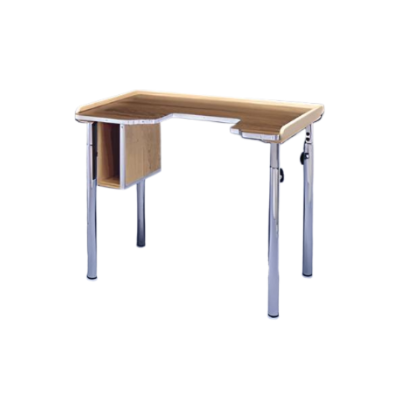
Wall Mounted Desks & Workstations
13 products
Talk to a Medical Equipment Specialist
Toll free 877-706-4480 | Local 713-706-4480 | inquiry@msecompany.net